For pros who book in their DMs
Stop losing money to no-shows.
Send a deposit link right from your Instagram DMs. Clients agree to your policy and pay with your Cash App, Zelle, Venmo or a card to call dibs on their spot. They get reminders. And if they don't show, you keep the deposit.
No card to sign up. Set up in about 2 minutes, right from your phone.
One no-show costs more than the set.
$150
gone when a $150 appointment doesn't show
2+ hrs
of your day blocked for nothing
$5,400
a year, at just 3 no-shows a month
Most no-shows aren't personal. Clients forget, or nothing makes them feel committed. A paid deposit and a reminder fix both, and you stop having the awkward “about my policy…” conversation.
From DM to deposit in 30 seconds
Keep booking the way you already do.
- 1
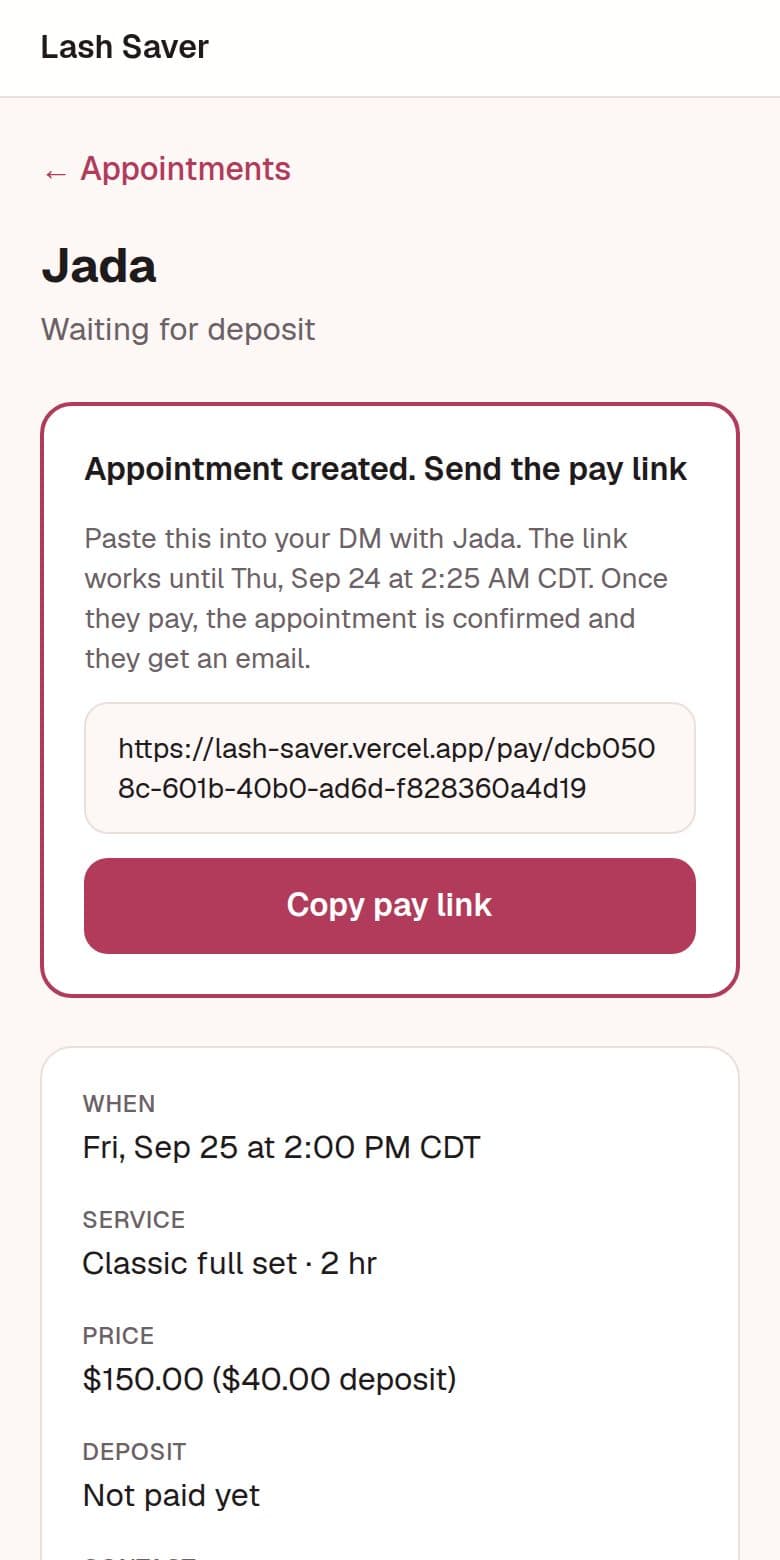
Agree on a time in your DMs, then create a pay link
Pick the service, date and time. Copy the link and paste it into the chat.
- 2
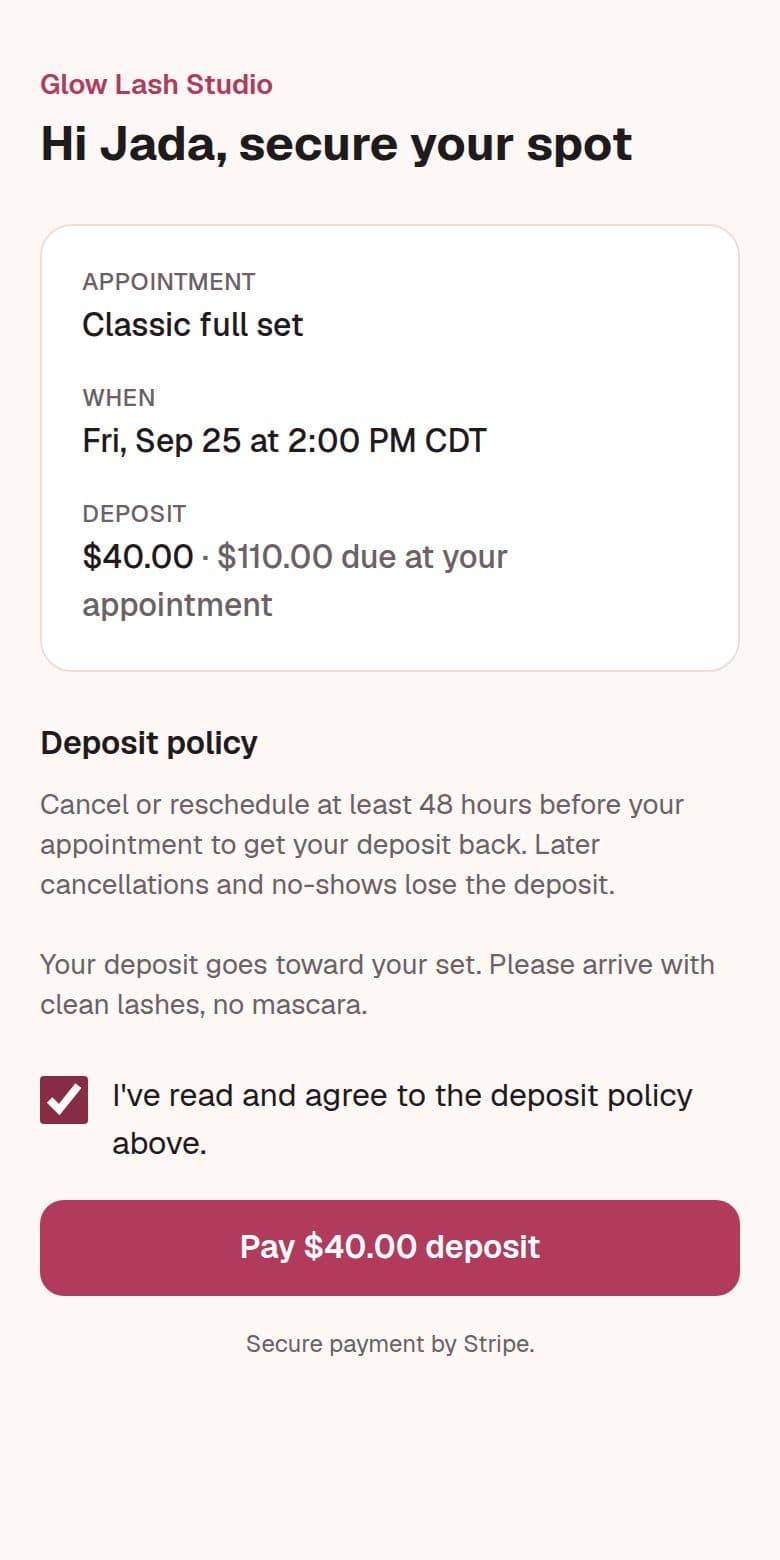
Your client agrees to your policy and pays
They see the details and your cancellation policy, tick “I agree”, and pay with your Cash App, Zelle or Venmo, or by card. No account, no app to download.
- 3
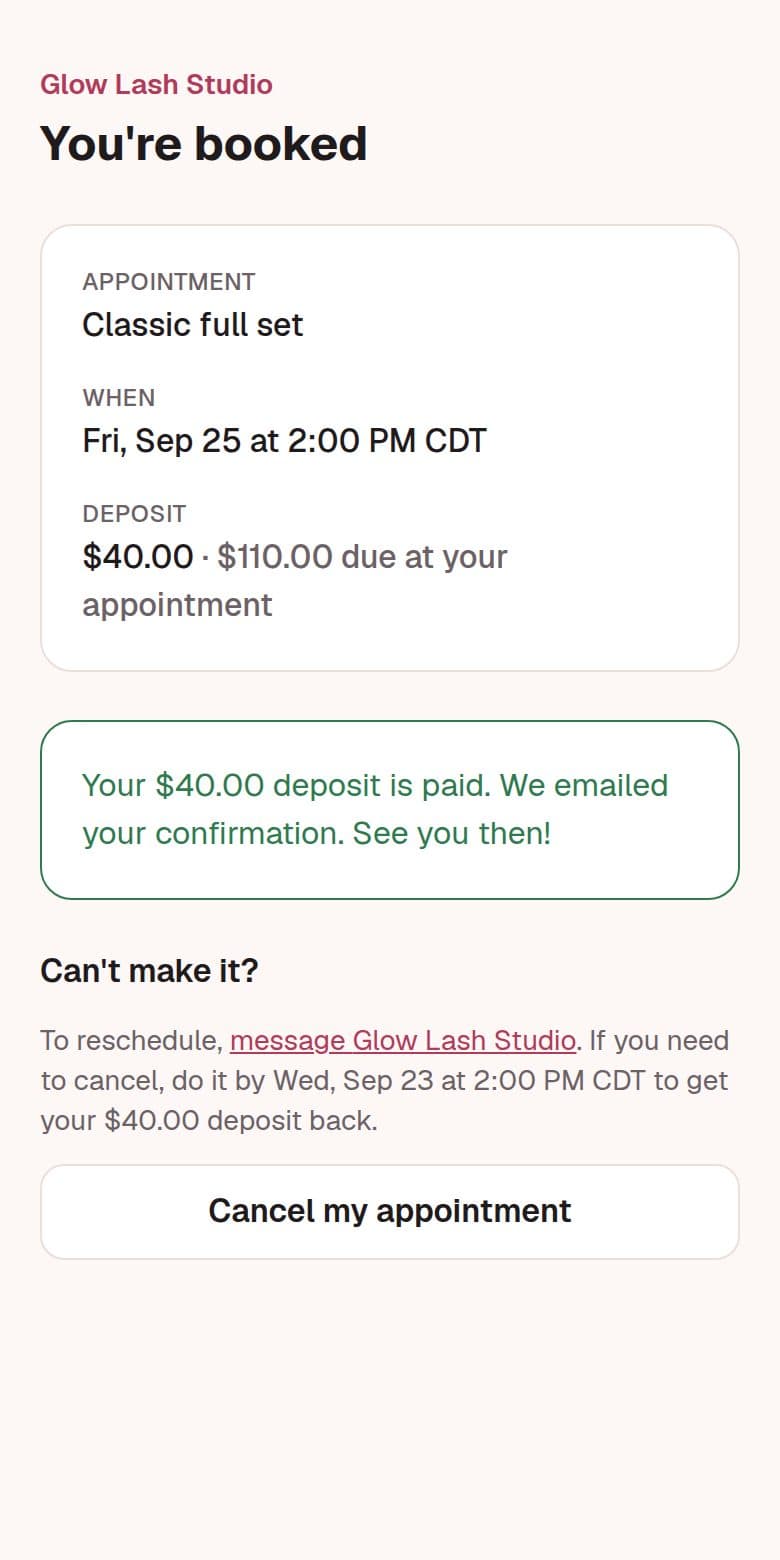
They're booked, and reminded
Confirmation right away, reminders 48 and 24 hours before. If they can't make it, they cancel instead of ghosting: early enough gets a refund, too late and you keep the deposit.
- 4
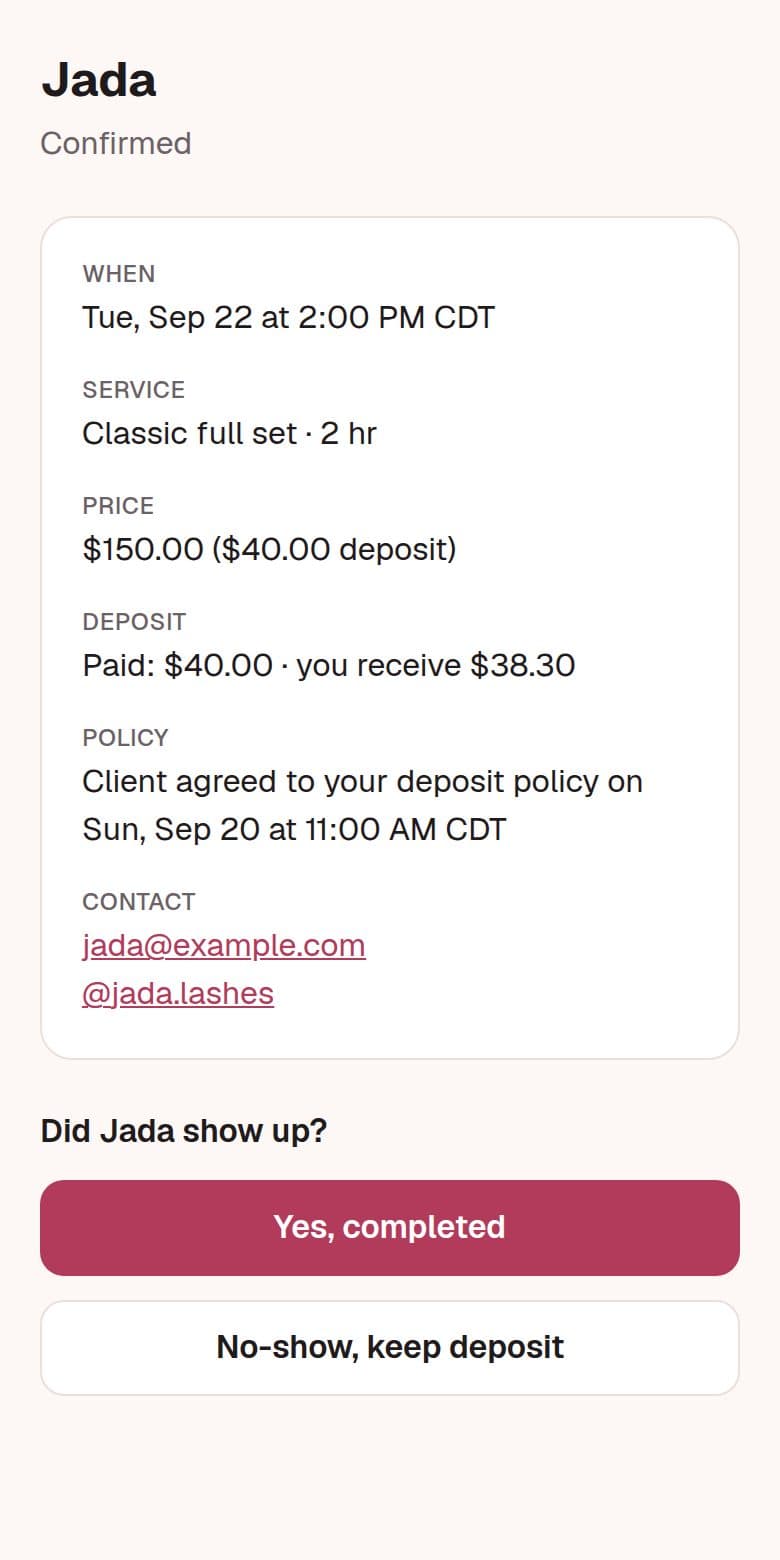
No-show? One tap, you keep the deposit
After the appointment, mark it completed or no-show. No chasing, no arguing.
Everything a deposit should do
Your policy, agreed in writing
Clients tick “I agree” before they pay, and it's saved with a timestamp. If a client disputes a kept deposit, you have the proof.
Automatic reminders
Emails 48 and 24 hours before, with the exact time they can still cancel for a refund. Forgetting stops being an excuse.
Cancel instead of ghost
Clients can cancel from their link. Early enough is refunded automatically, too late means you keep the deposit, and you get a heads-up to fill the slot.
One-tap no-show
Mark it and you keep the deposit. The client gets a polite email, so you don't have to write one.
Get paid your way
Keep your Cash App, Zelle or Venmo: clients pay you directly and you tap Received. Or take cards through Stripe and deposits land in your bank automatically.
Built for your phone
Everything works from your phone, and the pay link opens right inside Instagram.
Keep your Cash App. Add what it's missing.
Cash App works, until a client asks for their money back, forgets, or ghosts. Big booking apps are built around online calendars and marketplaces. Dibs adds real deposit protection to the way you already book and get paid: in your DMs.
| Cash App or Zelle alone | With Dibs | |
|---|---|---|
| Client agrees to your policy before paying | ✗ | ✓ |
| Automatic reminders | ✗ | ✓ |
| Refund or keep, decided by your policy | ✗ | ✓ |
| One tap to keep a no-show's deposit | ✗ | ✓ |
| Proof if a client disputes | ✗ | ✓ |
| Works from your DMs | ✓ | ✓ |
| Clients pay with Cash App, Zelle or Venmo | ✓ | ✓ |
Simple pricing
$29/month
Free for 30 days. Cancel anytime.
- ✓ Unlimited pay links and clients
- ✓ Automatic reminders and confirmations
- ✓ Client cancel with automatic refund rules
- ✓ One-tap no-show, keep the deposit
- ✓ Your own booking page for your Instagram bio
No fees on deposits paid with Cash App, Zelle or Venmo. Card deposits are 3.5% + 30¢: on a $40.00 deposit you receive $38.30.
Start free for 30 daysNo card to sign up. You add one when you send your first pay link.
One saved no-show pays for months of Dibs.
Questions
Do my clients need to download anything or make an account?
No. They tap the link you send, read your policy, and pay with your Cash App, Zelle or Venmo, or by card, Apple Pay or Google Pay if you take cards. That's it.
How do I get paid?
Your choice. Clients can send the deposit straight to your Cash App, Zelle or Venmo, and you tap Received when it lands. Or connect Stripe (about 5 minutes) and card deposits go to your bank automatically.
What happens when a client cancels?
If they cancel before your cancellation window (for example, 48 hours before), their deposit is refunded: automatically for card deposits, or we remind you to send it back on Cash App, Zelle or Venmo. If it's later than that, you keep it. Either way, you get a notification so you can fill the spot.
What if a client doesn't show up?
After the appointment time, tap “No-show, keep deposit.” The client gets an email saying the deposit was kept per your policy, which they agreed to before paying.
Do I need to change how I book?
No. Keep booking in your DMs. Dibs just adds the deposit link, reminders and policy on top.
What does it cost?
$29/month after a 30-day free trial. No fees on Cash App, Zelle or Venmo deposits; card deposits are 3.5% + 30¢. No contract. Cancel anytime from your billing page.
Do I need a card to try it?
Not to sign up. You add a card when you're ready to send your first pay link, and you won't be charged until your 30-day trial ends.
Your time is worth protecting.
Set up in 2 minutes. Send your first deposit link today.
Start free for 30 days